Upserve POS is simple for your staff, clear about what drives your sales and repeat guests, and it’s supported by people who understand the work.
Book a Free Demo





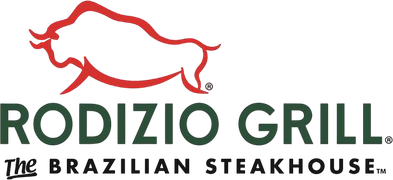



Split the check six ways. Transfer the table mid-shift. Fire a course from the floor. When the internet drops, Offline Mode keeps orders and payments going. And a new server can practice on your actual system in Training Mode before their first Friday night shift.
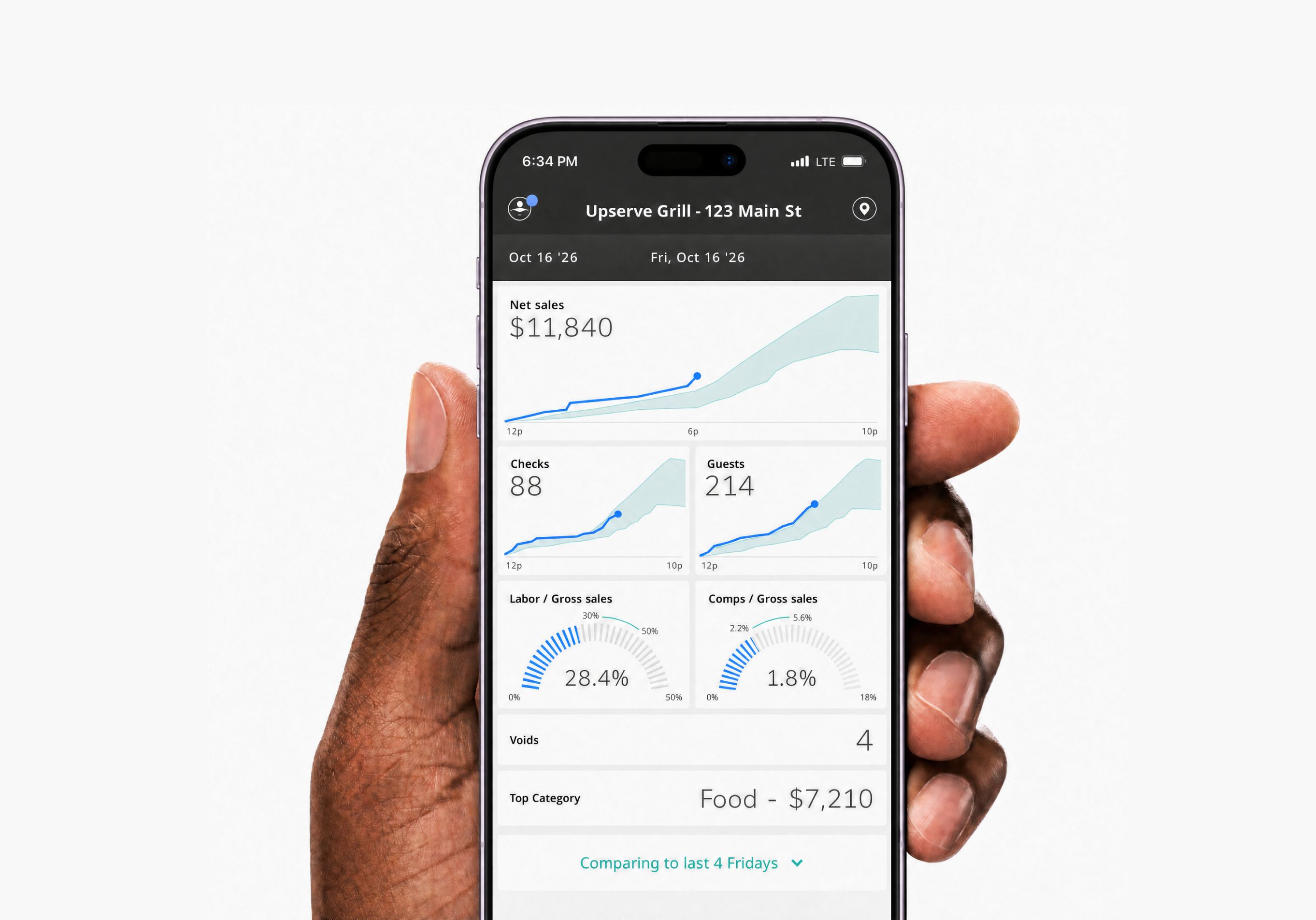
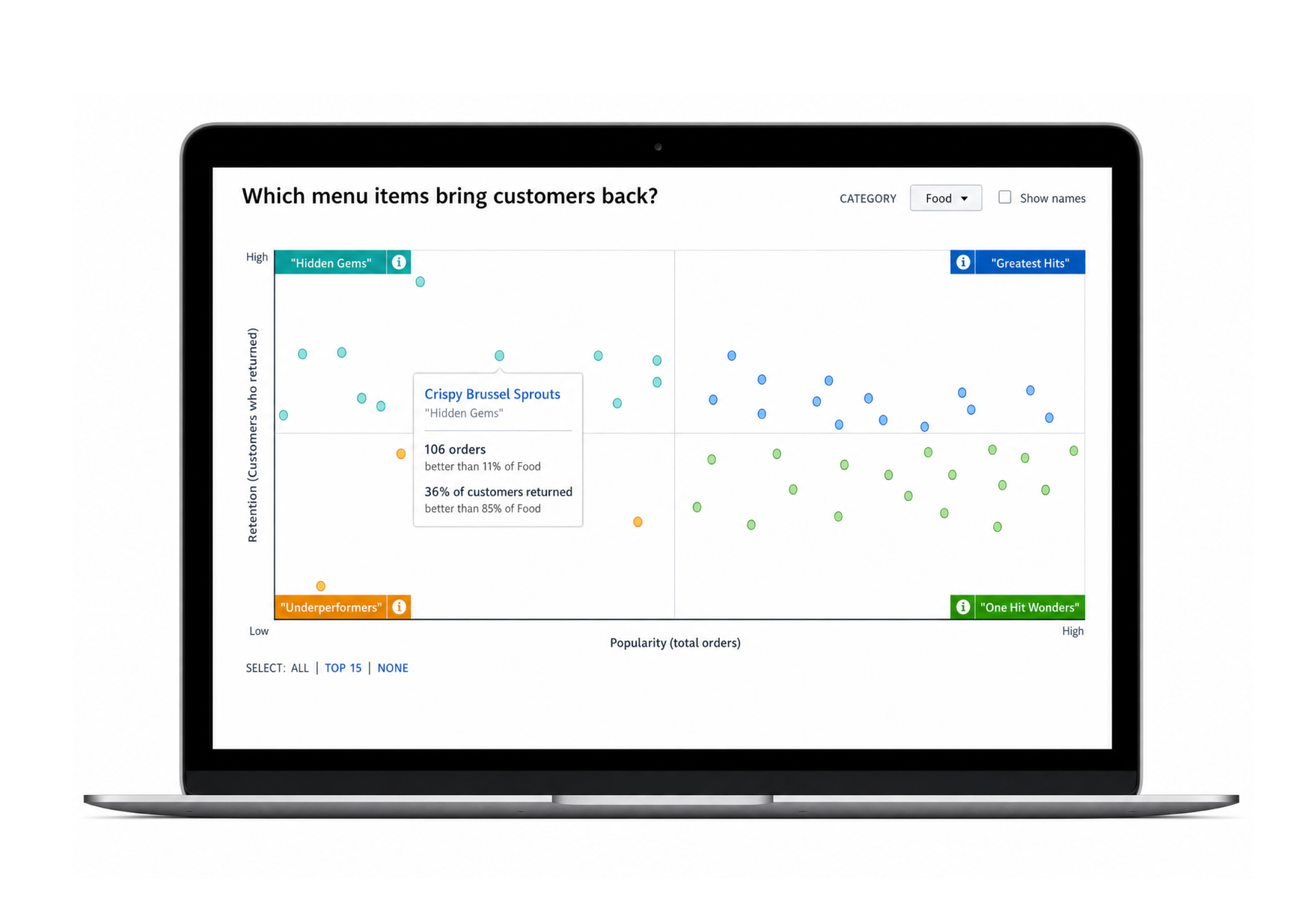
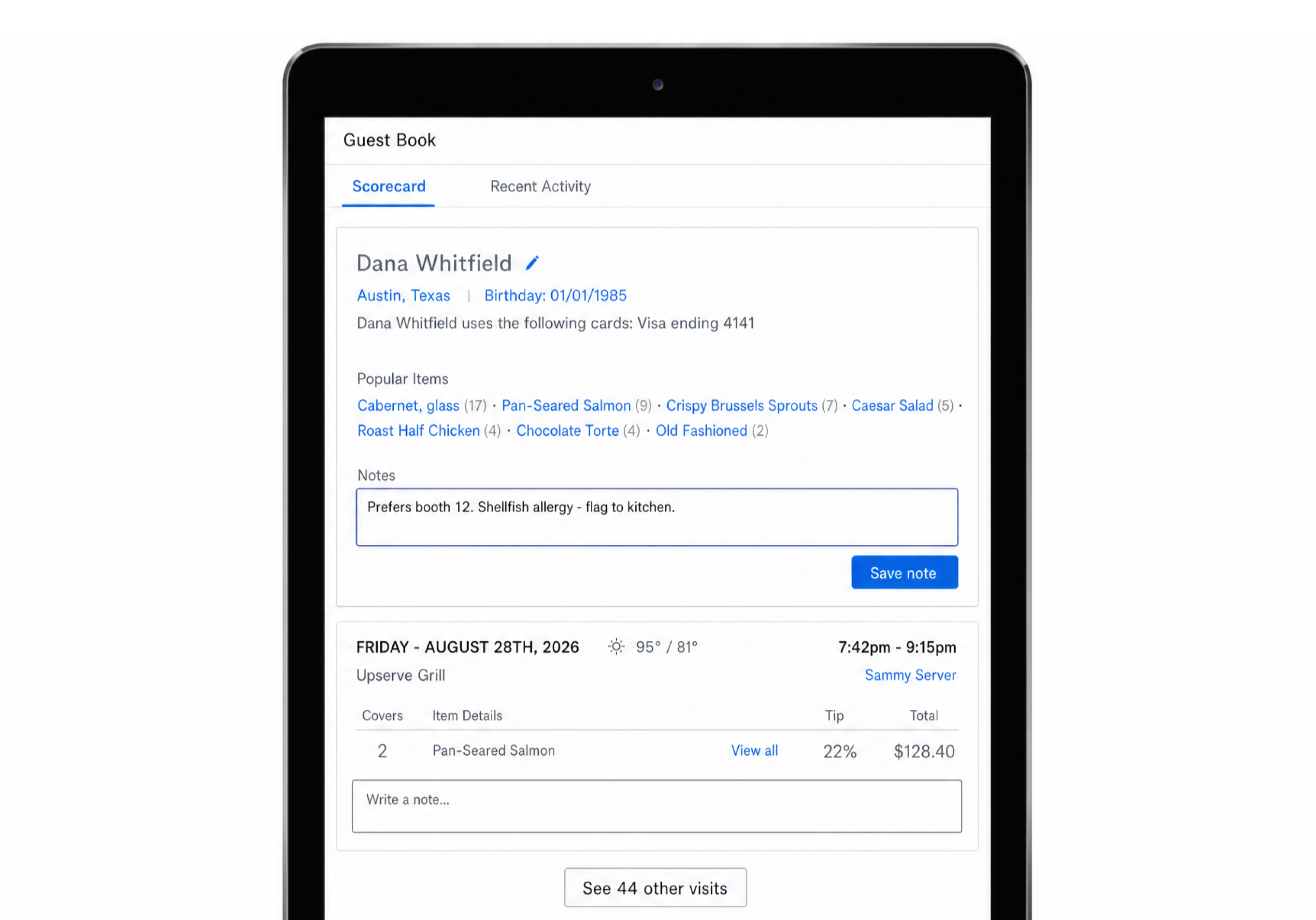
See how service is going from anywhere, with the Upserve Live app. Menu Insights shows which dishes sell and which bring guests back. Guest Book turns card payments into guest profiles, so every regular gets the VIP treatment.
With Tableside POS, servers can take orders and payments right at the table. Faster, smoother service. More time for hospitality.
Explore Tableside POS →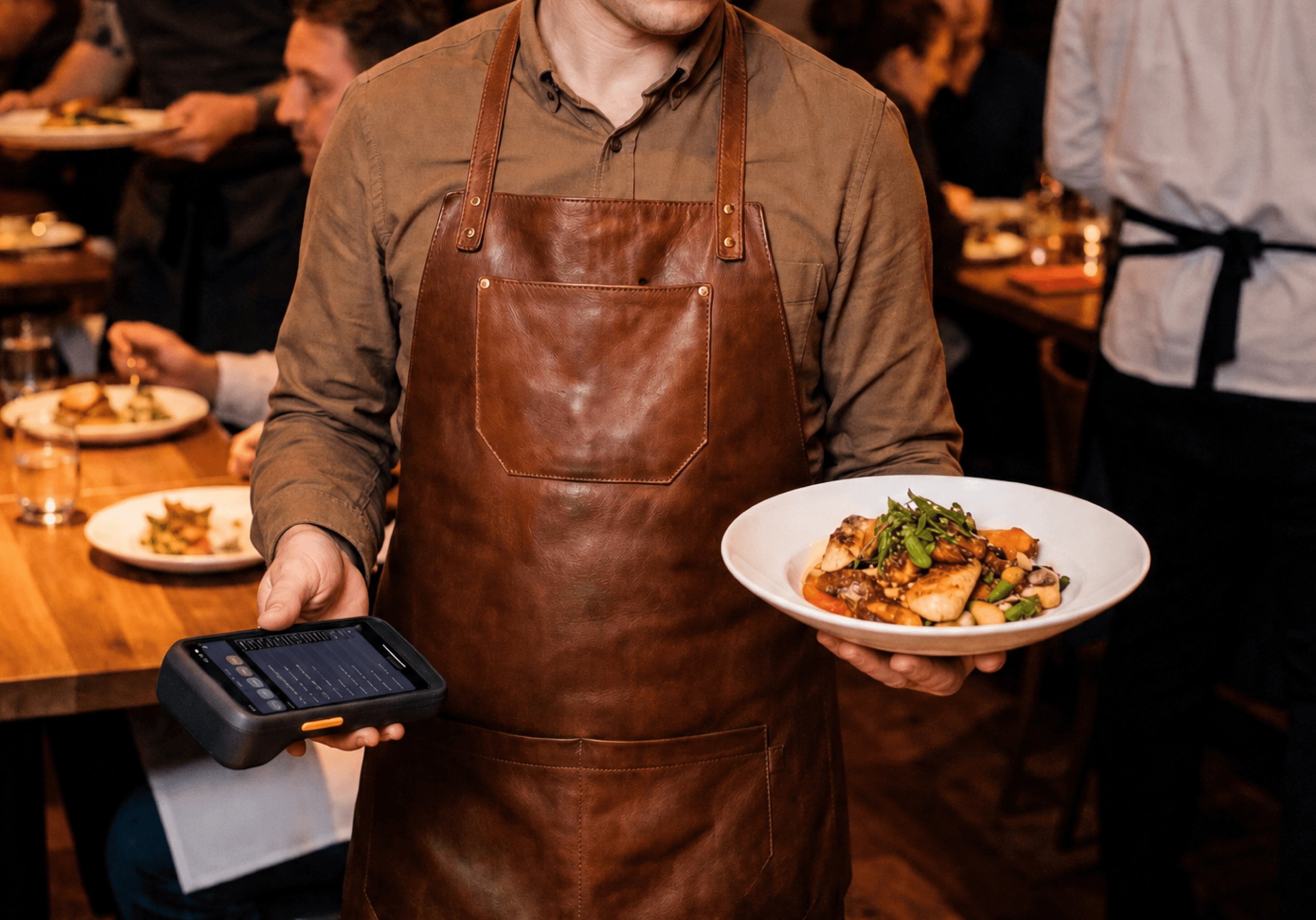
“Easy to use and great customer support.”
Ronda Reagan
Owner/President, The Pearl — Lockhart, TX
“With Upserve I don’t even have to step out from behind the bar. It really saves so much time, when time is so important to us.”
Ron
Owner, The Malted Barley — Providence, RI
When service is on the line, real human help is available 24/7/365 by chat, email, or phone. Switching your restaurant POS? From setup to installation, staff training, and go-live, Upserve helps your team get ready before you make the switch.
Explore Upserve Support and Onboarding →
Offline mode keeps service moving. Your team can keep building checks, sending orders to the kitchen, taking card payments, and printing receipts. When the connection returns, everything syncs back to Upserve HQ, your back office.
You don’t have to figure it out alone. Upserve supports your team through setup, on-site installation and remote training. Training Mode also gives staff a chance to get comfortable with the restaurant POS before their first live shift.
Upserve POS runs on iPad, so if you already own compatible (specific generations) iPads, it’s likely you may be able to continue using them. We also support common receipt and kitchen printers, cash drawers, and networking gear. What typically does not carry over is proprietary hardware from another POS company, such as their terminals, handhelds, and card readers that are tied to a different payment processor. Share with us a list of what you have, and we can confirm what will work and what would need to be replaced.
Upserve provides restaurant management software and restaurant analytics. Upserve HQ is your back office, and it can answer questions a sales total cannot, thanks to automated data from card transactions. Know which dishes bring guests back, who are your regulars and what they order, which servers are best at moving your high-margin items, and which shifts cost more in labor than they bring in. The Upserve Live app puts all of it on your phone so you can watch a shift from anywhere, and it all runs off data your POS already collects, with nothing extra for staff to enter.
Yes, Upserve POS and Upserve Payments work as one system. That’s what makes offline card payments, automatic guest profiles, and a single support team for your software and processing possible. Send us your current statement, and we’ll walk through the numbers with you to help you decide.
Talk to the Upserve team today.
Book a Free Demo