The best POS system for a small restaurant does 7 things well.

Use the checklist to compare any POS system for your small restaurant. Then book a free demo to see Upserve on your menu and get pricing for your setup.


What changed for other restaurants after switching to Upserve:
30%
Increase in revenue
10%
Decrease in time to table
See what Upserve would cost your restaurant.

Step 1 of 3

Who are you?

New or existing customer

Pick the one that fits.

Trusted by restaurants and hospitality groups.
SMALL RESTAURANT POS BUYER'S GUIDE

7 things the best POS system for a small restaurant should do.

A small team can't afford a POS that slows service or hides costs. Check these before you sign anything.

Request my free demo
See it on your menu · Itemized quote · No obligation
01

Costs you can predict

Look past the monthly fee to hardware and add-ons. Upserve Go is $0/month for software; Core is $59/month.
02

A full POS on the starter plan

Dine-in, bar tabs, takeout and offline mode shouldn't be upsells. They're all included on Upserve Go.
03

Easy enough for a new hire

Training Mode lets staff practice on your real menu before their first shift, with no effect on live sales.
04

Keeps working when the Wi-Fi doesn't

Offline Mode keeps orders, card payments and receipts going for up to 24 hours.
05

Remembers your regulars

Automatic guest profiles show visits, spend and favorite items from every card payment.
06

Reports you'll actually open

A Daily Digest email recaps sales, labor and menu performance each morning.
07

Real people, any hour

24/7/365 support by phone, chat or email is included on every plan.
The Sandwich Hut · Providence, RI
Customer story /
The Sandwich Hut
It's very intuitive and user-friendly, which is essential for a good POS. It's also there working for us fast and furious when we need it to, firing orders all over the kitchen.
Peter, Owner
The Sandwich Hut · Providence, RI

How Upserve measures up as the best POS system for a small restaurant.

Run a lean team without giving up the reporting, guest data and support bigger operators rely on.
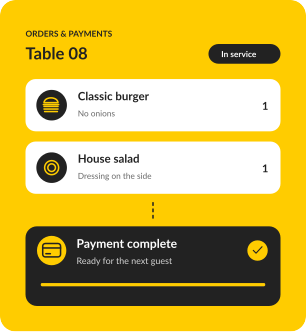
Orders and payments on Upserve

A full POS without a big-restaurant price.

Go starts at $0/month for software and still includes dine-in, bar tabs, takeout, offline mode and guest profiles.
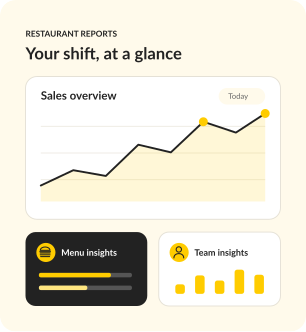
Upserve restaurant reports

See your numbers without a spreadsheet.

Sales, labor and best sellers land in one dashboard and a Daily Digest email, so a small team can make quick calls.
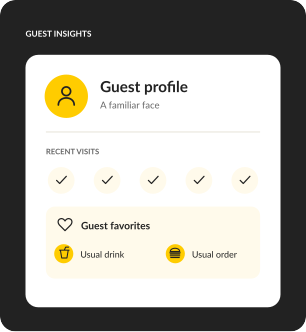
Upserve guest profile

Small restaurants run on regulars.

Guest profiles build automatically from card payments, so you remember the usual order without a notebook.
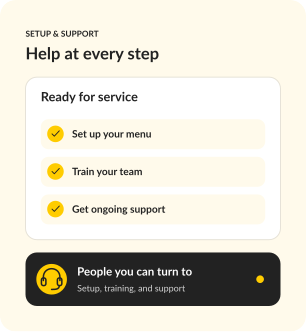
Upserve setup and support

Set up for you, not by you.

A specialist builds your menu with you, Training Mode gets new hires ready, and support picks up 24/7/365.

Request my free demo

The best POS system for a small restaurant, made for service-first teams.

Neighborhood spots
Bistros
Casual dining
Bars and lounges
New openings
Fast casual

If you're the owner, the manager and sometimes the line cook, your POS should save you time on every shift. Upserve was configured for restaurants like yours before you touched it.

Switch to the best POS system for a small restaurant without the stress.

Easy for staff to learn, powerful enough to run your whole restaurant. The reason operators tolerate a POS they hate is that switching sounds worse. Here is why it is not.
Personalized onboarding
A specialist rebuilds your menu, modifiers, and floor plan with you, so day one feels familiar, not foreign.
Professional installation
Terminals, handhelds, printers, kitchen screens, networking. Our team configures all of it. You run service, we run cables.
Training Mode
Flip one switch and any device becomes a safe copy of your real system. New hires practice on your actual menu, with zero risk to live service.
24/7/365 restaurant support
Chat, phone, or email, any hour. Real people who have worked a rush and know what we are slammed means.
IN GOOD COMPANY

Best POS system for a small restaurant: what Upserve customers say.

Real stories from the people behind the bar, in the kitchen, and running the show.

CUSTOMER STORY
Easy to use system and great support.
Natasha Poor, Owner
27 Club · Hendersonville, NC
CUSTOMER STORY
Easy to use and great customer support.
Ronda Reagan, Owner/President
The Pearl · Lockhart, TX
CUSTOMER STORY
Things have improved exponentially, especially the customer service experience. I'm very thankful for the direct access to help.
Yvette, Owner
Vinateria · Harlem, NYC
Customer since April 2013

What the best POS system for a small restaurant costs.

Full POS in every plan
Dine-in, bar tabs & takeaway
Personalized onboarding
Included with Core & Pro
24/7/365 support
Chat, phone & email

Go

For a new opening or single restaurant that needs a reliable, full-featured POS.

SOFTWARE

$0

/ month

Request a demo

Your POS essentials

Dine-in, bar tabs & takeaway

Offline mode

Automatic guest profiles

24/7/365 support

Core

MOST POPULAR

For operators ready to connect service, staff scheduling and daily decisions.

SOFTWARE

$59

/ month

Request a demo

Everything in Go, plus

Scheduling & payroll sync

Upserve Intelligence

Menu build & onboarding

Pro

For growing restaurants and groups that want ordering, loyalty and inventory built in.

SOFTWARE

Custom

Request a demo

Everything in Core, plus

Online ordering included

Card-linked loyalty

Inventory management

Multi-location reporting

Software prices shown. Processing fees apply. Hardware is sold separately.

Best POS system for a small restaurant: buyer's questions, answered.

What should I look for in a restaurant POS?

Start with how your service runs: tables or counter, tabs, coursing, takeout. Then compare reporting, guest data, offline backup, support hours and the full cost of software, processing and hardware.

Is Upserve affordable for a small restaurant?

Yes. The Go plan is $0/month for software and includes dine-in, bar tabs, takeout, offline mode, automatic guest profiles and 24/7/365 support. You pay processing per transaction, and hardware is quoted for your space.

How much help will I get with switching?

Personalized onboarding, professional installation and staff training are included. A specialist rebuilds your menu, modifiers and floor plan with you, and our team configures your terminals, handhelds, printers and network.

How will my staff learn to use it?

Training Mode turns any device into a safe copy of your real system, so new hires practice on your actual menu before their first live shift, with no effect on sales or reports. Guided training and help articles are there after go-live.

What happens if the internet goes down?

Offline Mode keeps you taking orders and card payments and printing receipts for up to 24 hours without internet. Everything syncs once you're back online.

Can I use my existing hardware?

Upserve runs on iPad and supports compatible devices and common peripherals. Proprietary hardware from other POS systems usually needs to be replaced. We'll review your current setup during the demo so you know exactly what stays.

What if I need help during a busy shift?

Support is available 24/7/365 by phone, chat or email, from people who understand restaurant service.

See if Upserve is the best POS system for your small restaurant.

Bring your current system or quote. In a free demo we'll walk through the differences on your menu and price your setup, so you can compare like for like.

Request my free demo