Get up to $2,000 off Upserve POS hardware through September 30, 2026
Upserve vs Aloha

Moving from Aloha? See what Upserve does differently.

Compare guest, menu, and server insights, plus onboarding and support experience to see what moving to Upserve would look like for you.


$2,000 OFF

Restaurants and bars get up to $2,000 off Upserve POS hardware through September 30, 2026

See Upserve for your restaurant.

Tell us a little about your business. Then choose a time to explore the workflows and switching questions that matter to you.

Step 1 of 3

Who are you?

Who they are

Pick the one that fits.

Trusted by restaurants and hospitality groups.

Upserve vs Aloha: compare the system and the move.

What matters
Aloha
Menu insights

See more than item sales. Upserve connects menu performance with repeat-guest behavior to help identify which dishes deserve their place on the menu.

Aloha

Aloha reporting includes item sales, quantity, margins, and product-mix reporting.

Guest insights

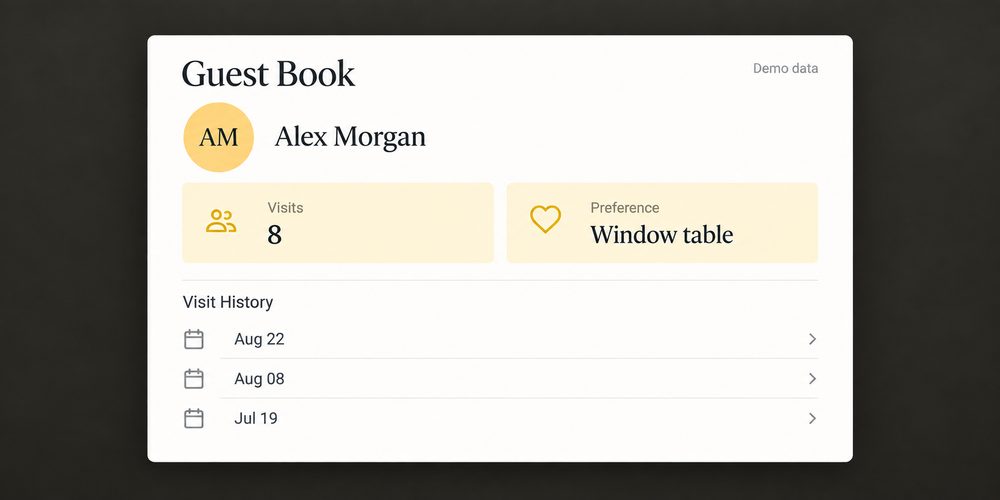
Automatically build guest profiles from card transactions, including visits, total and average spend, favorite items, and any preferences, to prepare for upcoming service. Build and segment guest lists to understand your customer base.

Aloha

Aloha Cloud provides customer records, purchase history, visits, and spend.

Server performance

View server performance, including sales trends, turn times, menu-selling strengths, to identify top performers and inform your coaching.

Aloha

Aloha Smart Manager compares employee performance using sales, average check time, comps, and other metrics.

Setup and support

Personalized onboarding, professional installation, and 24/7/365 support by phone, chat, or email from a restaurant-focused team.

Aloha

Implementation varies; subscription FAQ lists training options and 24/7 support
Less time on the busywork.
More room for your business to grow.

$1,500+
Potential monthly savings in third-party ordering fees
Kenji’s Ramen
+15%
Increase in sales
Malted Barley
10 min
Saved per online order
Kenji’s Ramen
Guests dining at The Malted Barley
MORE TIME FOR WHAT MATTERS
“With Upserve I don’t even have to step out from behind the bar; It really saves so much time, you know, when time is so important to us.”
Ron, Owner
Malted Barley  ·  Providence, RI

Make the next system useful beyond the check.

Upserve Guest Book showing a returning guest visit history

Prepare for the people coming back.

Put guest history into the pre-service conversation.
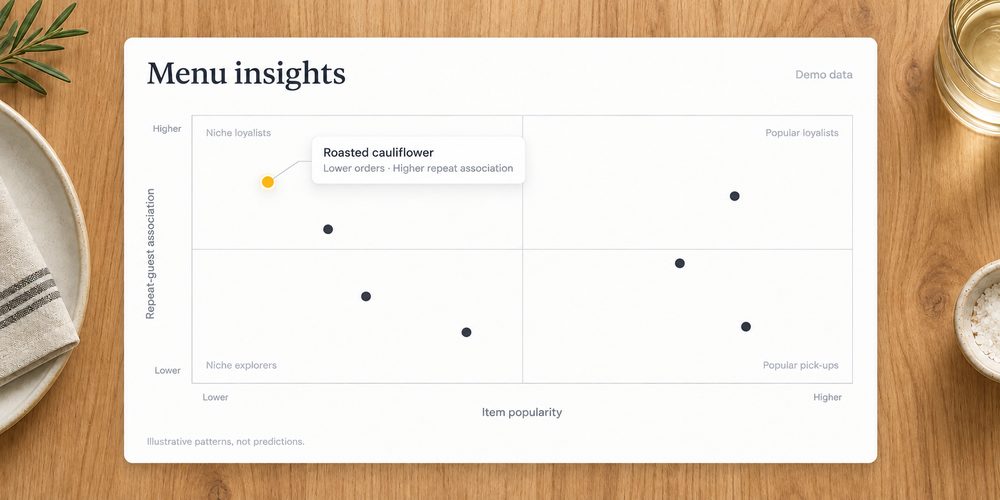
Upserve Menu Insights highlighting dishes tied to repeat visits

See the menu differently.

Look at popularity alongside repeat-guest patterns when reviewing what stays on the menu.
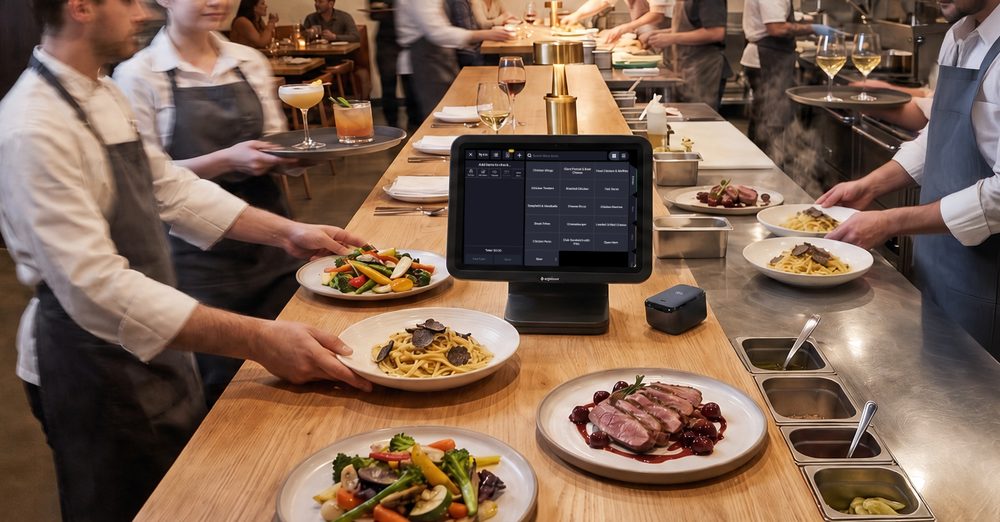
Restaurant team reviewing service notes before a shift

Give new staff room to practice.

Rehearse Upserve workflows in Training Mode before using them with live guests.

Keep your service requirements in the plan.

Start with what needs to work on day one. Your menu. Your kitchen routing. Your staff. Your records.

1

Map what matters.

Bring your current POS, devices, integrations, and the service details you need to keep.

2

Put Upserve to the test.

Walk through the workflows that matter to your team. Review the proposed setup and costs.

3

Plan the move.

Confirm configuration, training, installation, and what data can transfer before setting a go-live date.

Personalized onboarding

A specialist rebuilds your menu, modifiers, and floor plan with you, so day one feels familiar, not foreign.

Professional installation

Terminals, handhelds, printers, kitchen screens, networking. Our team configures all of it. You run service, we run cables.

Training Mode

Give your team hands-on practice with your actual menu and POS workflows, without affecting live service or reporting.

24/7/365 restaurant support

Chat, phone, or email, any hour. Real people who have worked a rush and know what we are slammed means.

Plans and pricing

One quote, built around your restaurant.

Three plans, priced per location, from a single room to a growing group. Your quote depends on your locations, your hardware, and how you run service.

Core

Best for owners running one or two locations

Get My Quote

Includes

Cloud POS on iPad
Tableside handhelds
Offline Mode, up to 24 hours
Menu, modifier and floor plan configuration
24/7/365 support
Pro (Most Popular)

The full stack for operators who want the guest and inventory side too.

Get My Quote

Everything in Core, plus

Guest Insights and Guest Book
Inventory
Online Ordering
Loyalty
Multi-location dashboard
Menu Intelligence and server scorecards
Pro+

For larger groups, central kitchens, and tech-forward operators.

Get My Quote

Everything in Pro, plus

Multi-unit and central kitchen tooling
Custom reporting
Dedicated account team

Payments on every plan, hardware quoted separately. You will see your full quote on the call, itemized. Ask about setup support on your call.

Have your Aloha quote or statement handy. Compare the same devices, required tools, and payment assumptions.

Get my custom quote →
IN GOOD COMPANY

Built for service. Loved by restaurants.

Real stories from the people behind the bar, in the kitchen, and running the show.

CUSTOMER STORY  /  01
“Things have improved exponentially, especially the customer service experience. I’m very thankful for the direct access to help.”
Yvette, Owner
Vinateria · Harlem, NYC
Customer since April 2013
CUSTOMER STORY  /  02
“It’s gone well despite setting it up overnight. We’re grateful it was an easy transition. It’s nice that online orders automatically come to the Upserve POS.”
Jennifer, Co-owner
1910 Public House · Lilburn, GA
Customer since 2016
CUSTOMER STORY  /  03
“System reliability, ease of use, easy to teach and learn, GREAT support team”
Greg, General Manager
Gross Confection Bar · Portland, ME
Customer since October 2018
CUSTOMER STORY  /  04
“It’s very intuitive and user-friendly, which is essential for a good POS. It’s also there working for us fast and furious when we need it to, firing orders all over the kitchen.”
Peter, Owner
The Sandwich Hut · Providence, RI
Customer since 2016
CUSTOMER STORY  /  05
“Great POS. Provides us with every bit of info we need.”
Gayle
First Draft Book Bar · Phoenix, AZ
CUSTOMER STORY  /  06
“Easy to use system and great support.”
Natasha Poor, Owner
27 Club · Hendersonville, NC
CUSTOMER STORY  /  07
“Good processing rates and great support.”
Bailey Smith, Managing Partner
The R Bar · New Orleans, LA
Customer since 2014
CUSTOMER STORY  /  08
“With Upserve online ordering, we save 10 minutes for every order we don’t take by phone. With ten orders per day, that’s a lot of time. In one month, we can save over $1500 in third-party online ordering fees. It really adds up.”
Kenn
Kenji’s Ramen
CUSTOMER STORY  /  09
“We were able to identify a sales loss of $1,980 per year by using Upserve to track menu items that drove return business.”
Chef Andy
The Smoke Shop
CUSTOMER STORY  /  10
“Upserve Inventory was the main component to help scale our business from two to 38 locations in two years.”
Desi Saran
Playa Bowls

Questions before switching

Why would I choose Upserve over Aloha?

Upserve is a strong fit for full-service restaurants that want guest, menu, and server insights, dedicated support, and a system that's easy to learn and use day to day.

What can we bring with us from Aloha?

Menus, modifiers, floor plans, and guest and sales history are the pieces restaurants most often want to carry over. What actually transfers depends on how your current data is stored and exported. Bring that detail to the demo call and we'll confirm exactly what can come with you before anything is scheduled.

How long would the switch take?

It depends on how many locations you run, what hardware is involved, and how much configuration your menu and floor plan need. We map all of that with you first, then agree on a go-live date rather than promising one up front.

Can we keep our hardware?

Some hardware carries over and some does not, depending on the devices, their age, and how they're connected. Bring your device list to the demo call and we'll tell you which pieces work as they are and which would need replacing.

Your next chapter after Aloha starts with a clear plan.

See Upserve in action. Review what changes, what your team needs, and what the move would cost.

Book an Upserve Demo