
Move from Legacy to Mobile Tap payments for the latest features, starting with Dual Pricing and Surcharging. Your POS experience, loyalty, gift cards, reporting stay the same.

Dual Pricing and Surcharging are built into Upserve POS and Mobile Tap payments.

Mobile Tap offers next-day deposits when your trading day closes before 6AM local time.

Upserve Loyalty works with Mobile Tap. We migrate your guests’ cards, so you keep the same guest data and can continue with the same loyalty programs.

Even with new payments hardware, your staff keeps using the Upserve POS they know. Most workflows stay the same.

Future-proof with Mobile Tap readers. Android ELO terminals used with Legacy payments are discontinued and can’t be replaced if one breaks.

If your connection drops, you can accept EMV and tap transactions, not just swipes. Dip and tap are more secure, helping protect your restaurant.

We will work with you to match your current processing rates as closely as possible. Your Account Manager will go over your rates before you decide to make a move.
7 benefits. Swipe →
Dual Pricing and Surcharging are built into Upserve POS and Mobile Tap payments.
Mobile Tap offers next-day deposits when your trading day closes before 6AM local time.
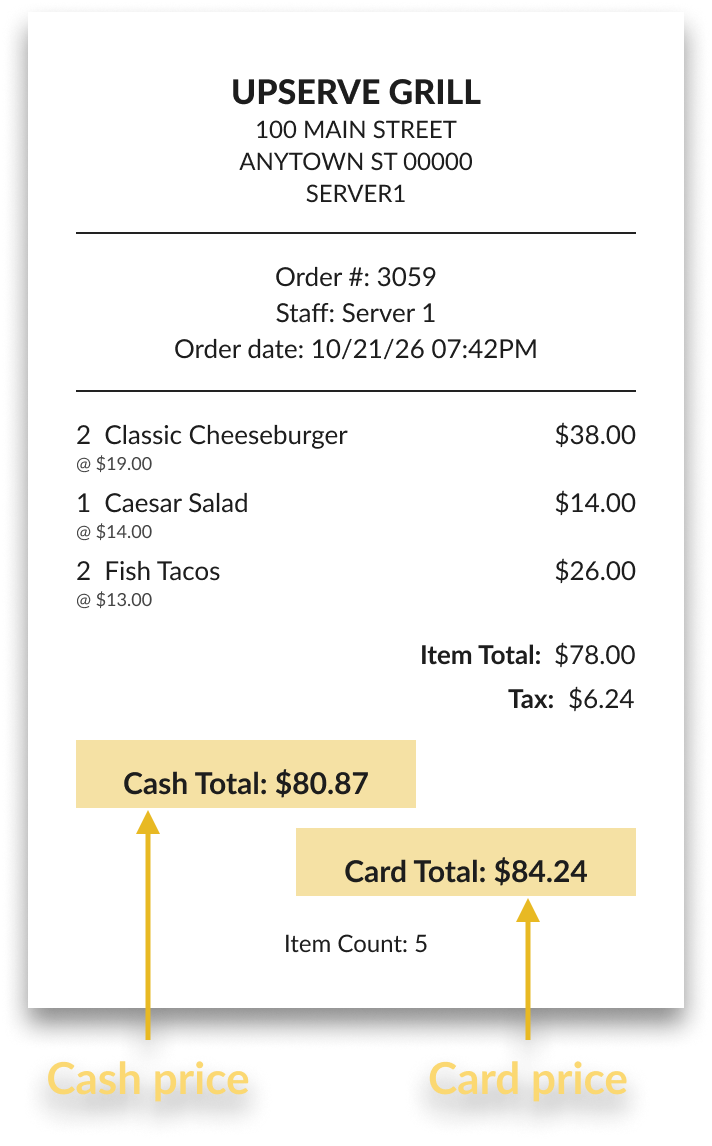
Upserve gives you two options to offset card processing costs so you can choose the one that works best for you.

Build card processing costs into your menu prices and offer a discount to guests paying in cash.

Apply a surcharge fee to credit card payments.
* When your listed prices are the card prices and you post the cash discount.
Build card processing costs into your menu prices and offer a discount to guests paying in cash.
Available to restaurants in all 50 states.
* When your listed prices are the card prices and you post the cash discount.
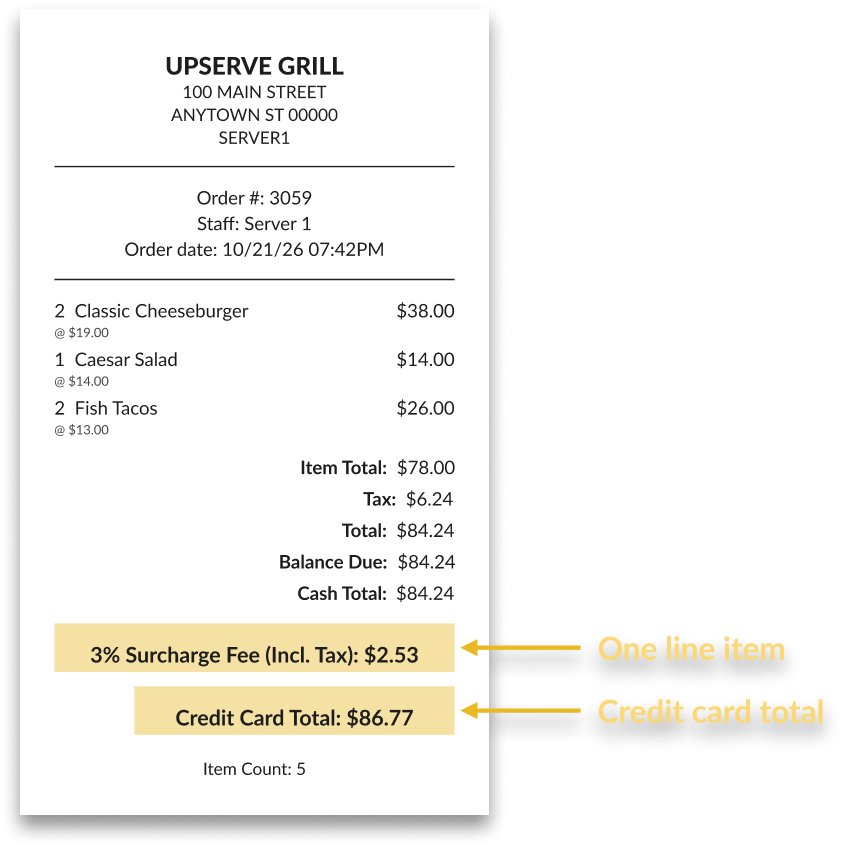
Increased to show the card price. Guests who pay with cash get a lower price automatically.
Guests see the total if paid with cash and the total if paid with a card before payment.
For those who want to keep a fee off the check and where surcharging is not legally permitted.
Apply a surcharge fee to credit card payments.
Surcharging rules vary by state. It isn’t allowed in some states and has limits in others.
Prices stay the same.
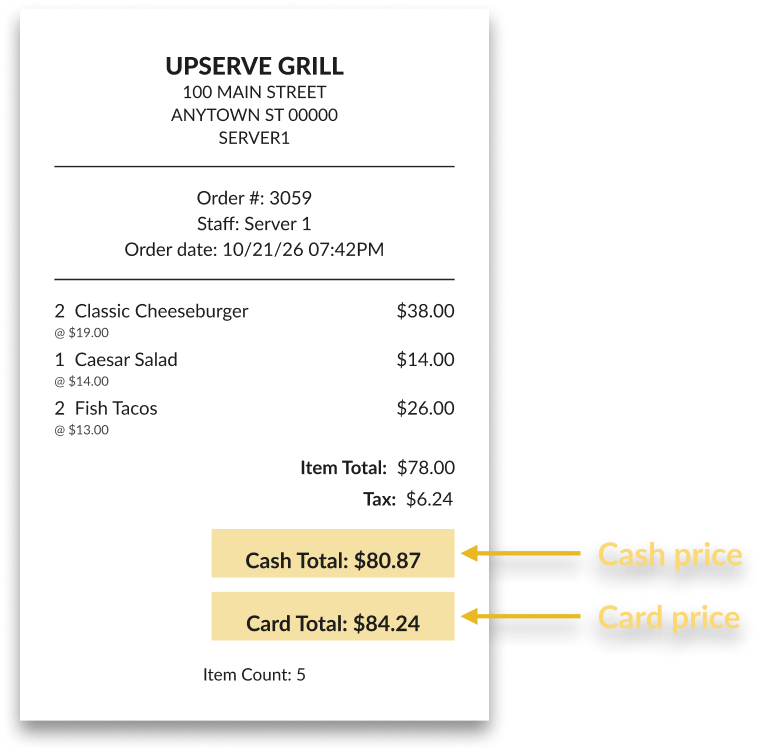
Guests see the check total, surcharge percentage, and credit card total before payment.
For those who want to keep menu prices the same and where surcharging is legally permitted.
Not sure which is right for you? Our team can help you decide.
Once you’ve decided to upgrade your payments experience, we’ll help you from start to finish.
We’ll look at what your restaurant needs together, including how many fixed POS terminals and Tableside handhelds you need.
A digital signature confirms your hardware and any costs or discounts.
You finish this on your time in your HQ back office.
We ship your hardware once your payment application is complete, so your POS terminals and Tableside handhelds can take payments as soon as they’re configured.